

One of my biggest goals this year is to create a new stream of passive income that lets me spend more time sipping cocktails on the beach and less time chained to my desk. Sound familiar? If that resonates with you, let’s dive into an exciting opportunity I discovered: Amazon Kindle Direct Publishing (KDP).
Through my research, I kept stumbling across people claiming to make thousands of dollars monthly selling low-content books like planners, notebooks, and coloring books. These are books that don’t require you to be a skilled designer or a seasoned writer. Intrigued? In this post, I’ll break down how to get started with Amazon KDP, step by step, and explore whether it’s worth your time.
Step 1: Setting Up Your Amazon KDP Account
The first step is simple: create an Amazon KDP account. Unlike Amazon FBA, which often comes with hefty fees, KDP is completely free to open and maintain. It’s straightforward and doesn’t require upfront investments for inventory.
Step 2: Choosing the Right Product
Low-content books are the bread and butter of Amazon KDP. Examples include:
- Planners (daily, weekly, yearly)
- Notebooks
- Coloring books
- Puzzle books
- Trackers (e.g., habit trackers, income trackers)
Here’s the thing: the days of publishing anything and instantly making sales are long gone. The key is product research. You’ll want to identify niches with high demand but low competition.
How to Conduct Product Research
You can manually search Amazon using its search bar, but tools like BookBolt make the process much easier. BookBolt is a popular platform for entrepreneurs breaking into the low-content book space. It offers features like:
- Product research
- Niche analysis
- Design tools
When researching, I discovered that Side Hustle Income Trackers are popular and have year-round appeal compared to seasonal items like planners. Tools like BookBolt display useful data such as best-seller rankings (BSR), price ranges, and keyword suggestions, making it easier to spot profitable niches.
Step 3: Designing Your Low-Content Book
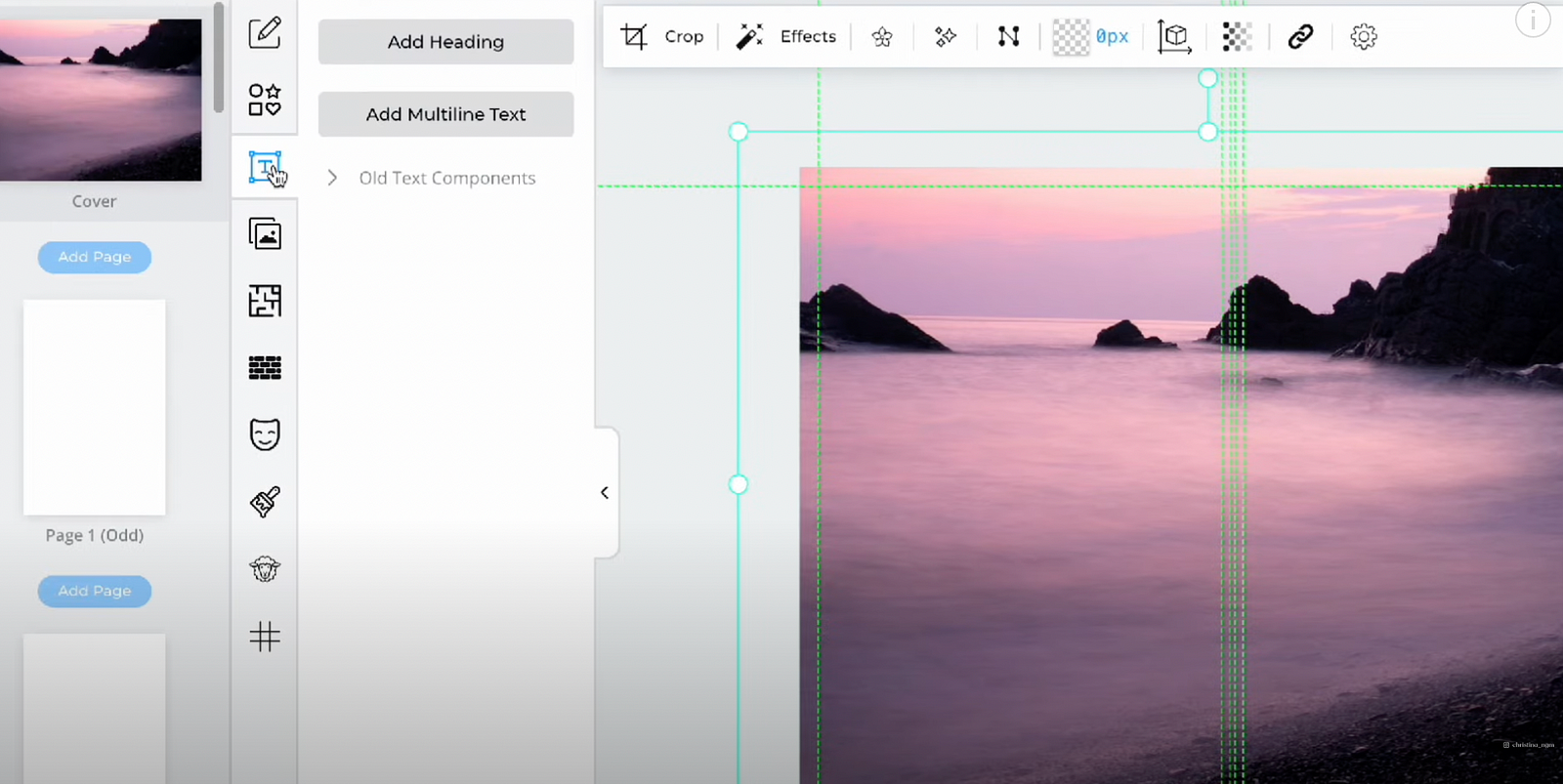
You don’t need to be a design expert to create a professional-looking book. BookBolt’s built-in tools are perfect for beginners. Here’s how I created my book:
- Start a New Project in BookBolt Studio
- Select your book size, interior type (e.g., black and white), and page count.
2. Design Your Cover
- Use free image platforms like Pixabay or Unsplash to find a high-quality background.
- Add text and customize the font to match your theme.
3. Create the Interior Pages
- Use BookBolt’s interior library for pre-made templates (e.g., trackers, planners).
- Upload your own design if you have something specific in mind.
Once the design is complete, download the project as a PDF formatted for print.
Step 4: Uploading Your Book to Amazon KDP
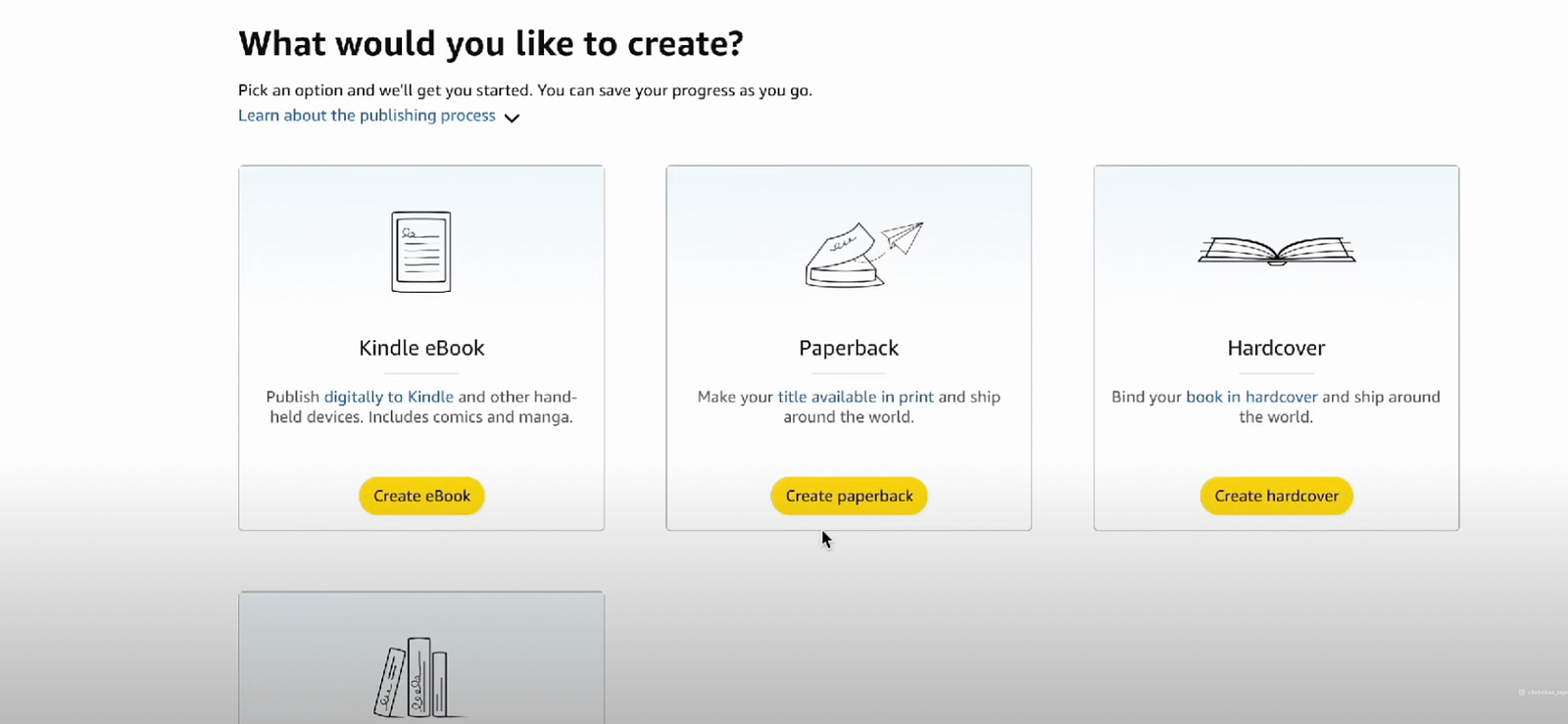
Now comes the exciting part — publishing! Here’s how:
- Log in to your KDP account and click Create Paperback.
- Fill out the book details, including:
- Title (e.g., “Side Hustle Income Tracker for Freelancers”)
- Author name (your name — congrats, you’re officially an author!).
- Book description (make it compelling and include keywords).
- Upload your manuscript (interior PDF) and book cover.
- Set your book category (e.g., Self-Help > Success) and keywords for discoverability.
- Preview your book to ensure everything looks perfect.
Step 5: Pricing Your Book
Pricing is critical. Research your competitors’ prices and find a sweet spot. For example:
- If a competitor sells a similar book for $6.99, but their product is a simple PDF while yours is a paperback, you can charge more.
- I priced my book at $9.99, which yields a $3.69 royalty per sale.
While $3.69 might seem small, remember this is passive income. Once published, your book can continue earning money indefinitely with minimal effort.
Why Amazon KDP Is a Great Side Hustle
The beauty of Amazon KDP lies in its scalability and low barrier to entry. Once your books are live, Amazon handles printing, shipping, and customer service. Tools like BookBolt streamline the research and design process, making this an accessible side hustle even for beginners.
Ready to Start Your Amazon KDP Journey?
If you’re curious about BookBolt, I’ve partnered with them to offer you 20% off their subscription. Use my code CHRISTINASIDEHUSTLES at checkout to unlock this discount and start your KDP business today.
Let me know in the comments if you’d like a part two, where I share my first-month earnings and lessons learned. This entire process took me just 40 minutes, which isn’t bad for creating a product that could generate passive income for years.
If you found this post helpful, be sure to check out my other guides on side hustles and making money online. Don’t forget to like, share, and subscribe to my channel for weekly updates!
Cheers to turning your goals into reality this year. See you in the next post! 😊
 Christina's Side Hustles
Leave a comment